Tous les jeux
Remintale: Color Animal Memories
icon Remintale: Color Animal Memories

Remintale: Color Animal Memories

Version mobile

Scannez le code QR pour obtenir la version mobile de ce jeu

Remintale: Color Animal Memories

Help the animals get their lost memories back after the storm. Set off along the trails, find a faded piece of a photo, color it by numbers and return it to its owner. A cozy game with no timers and no penalties: plenty of locations, a variety of pictures and a new photo every day.

Remintale: Color Animal Memories

À propos de ce jeu

Évaluation:10.0 (2 Votes)
Sorti:novembre 2026
Dernière mise à jour:novembre 2026
Langues prises en charge:English, Ukrainian, French, German, Portuguese, Spanish, Dutch, Polish

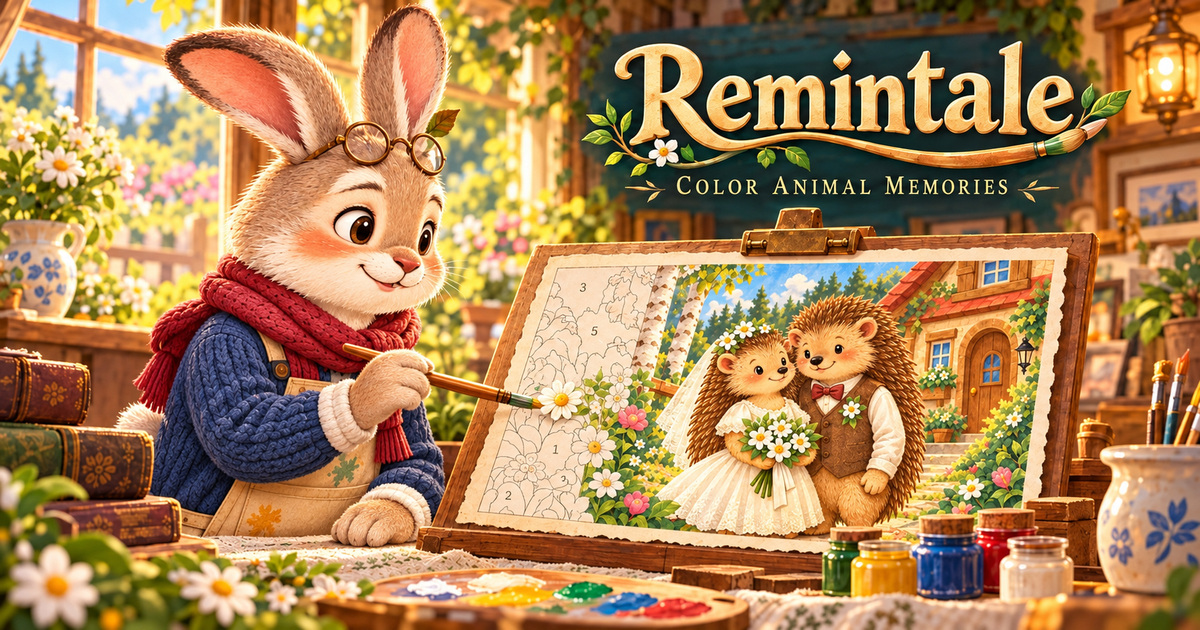
Remintale: Color Animal Memories is a cozy game about searching and coloring. A terrible storm swept through the land and the wind scattered family photographs far from home: the pictures tore, got damp and lost their colors. Philip opens the “Workshop of Memories” to piece them together and return them to their owners. The first to arrive was Varvara the hedgehog, who is looking for her wedding photo. Walk the trail, find a faded scrap, bring its colors back, and the memory comes to life again.


Game features

  • Four regions. The Forest Edge, the Brook, the Meadow and the Old Pinewood: 17 painted maps with birches and garden fences, wooden footbridges over the water, flowery meadows with an old mill, and warm windows in the pine hollows.
  • 40 photographs and 12 animal families. Hedgehogs, squirrels, voles, beavers, otters, ducks, moles, hares, badgers, bears, owls and foxes: every family has its own requests and its own stories. The animals chat with Philip right on the trail.
  • Searching painted scenes. A faded scrap is hidden among leaves, twigs and small things. Zoom in to examine every corner.
  • Coloring by numbers. The fragment is divided into numbered areas, and every photograph needs from 16 to 26 paints. Pick a jar, tap an area with the same number, and it gets colored. A wrong paint spoils nothing. The outlines are vector, so they stay sharp when zoomed in up to ×20.
  • Four tools and forest helpers. Fill (the Frog) colors all the remaining areas of the chosen color, the Wide Brush (the Bumblebee) colors neighboring areas in one stroke, the Developer (the Skylark) reveals the colors in a circle, and the Fireflies (the Sparrow) light up the remaining areas and show where the lost scrap lies.
  • Photo of the day and daily gift. Every day a new illustration to color and a set of tools are waiting for you.
  • Albums and souvenirs. Returned photographs are gathered into family albums, and for a complete family album Philip receives a souvenir.
  • Save and share. Any restored photograph can be saved as an image for free or sent as a postcard with your own caption.
  • Free workshop. When all the photographs are back home, you can color whole pictures just for fun.


Why you should play

The game has a gentle rhythm: a walk along the map, attentive searching, calm coloring and a joyful return. Mistakes break nothing, there is no energy, no paid attempts and no waiting timers, and you get a reward for every photo returned. Painted scenes in the style of a family album, quiet music and kind stories suit a five-minute break as well as a long evening.


Play at your own pace

Nobody rushes your coloring: choose any paint, zoom in on small areas as much as you need and come back whenever you like. The game saves after every action, even after a single colored area, so you can close the tab and continue later. You can play right in your browser, on a computer or a phone, with no installation.

Comment jouer à Remintale: Color Animal Memories?

The goal is to return the torn photographs to their owners: find a faded scrap, color it by numbers and piece the picture together.

  1. Set out along the trail. Tap “Find a scrap” or the glowing stone on the map, and Philip walks to the next point on the route. The route goes in order, and when Philip meets a resident, he stops to talk.
  2. Find the scrap. A faded piece of a photograph is hidden in a painted scene. Zoom and drag the scene, look closely at the leaves, grass and twigs. When you spot it, tap it.
  3. Choose a paint. In the workshop the scrap is divided into numbered areas. Pick a jar: the highlight shows where this color is needed. When a paint runs out, the game offers the next one by itself.
  4. Color the areas. Tap an area with the same number and it gets colored. If the paint is wrong, nothing happens: there are no penalties. Small areas are easier to see when zoomed in (up to ×20).
  5. Call the helpers. Fill colors all the remaining areas of the chosen color. The Wide Brush colors neighboring areas of the same paint in one stroke. The Developer reveals all the colors in a circle around the spot you tap. The Fireflies light up the remaining areas of this paint for 8 seconds, and in the search they show where the scrap lies.
  6. Piece the photograph together. The restored parts fall into place to form the picture. At the end the colors “develop” and the photograph appears in full detail.
  7. Return the picture to its owner. The resident gets their memory back, and you get tools for the next pictures. When a family album is complete, Philip receives a souvenir.
  8. Keep going. Every returned photograph brings you closer to the next memory. When all the photographs of a region are back, a celebration begins, and after it the trail leads on to the next region.


Useful tips

  • Zoom in: scale and the highlight of the chosen paint are always free, and they help you find the last little areas.
  • Save the Fireflies for scenes where the scrap is hard to spot: their lights stay by the find until you discover it.
  • Fill and the Wide Brush work best on colors with many areas, while the Developer is good where many different colors sit side by side.
  • Come back every day: the daily gift and the photo of the day are waiting for you.

Controls

  • Mouse. Click stones, residents, paint jars and the areas of the scrap. Hold the button and drag to move the scene or the coloring; the mouse wheel changes the scale.
  • Touchscreen. Tap to select and color, drag with one finger to move the picture, and spread or pinch two fingers to zoom in or out.
  • Tools. Tap an icon in the workshop. Fill and Fireflies work at once. The Wide Brush and the Developer switch on as a mode: then tap the spot you want on the scrap. Tapping the icon again switches the mode off.
  • Keyboard. The game is designed for mouse and touch. In the viewer of returned photographs, the ← / → arrows flip through the pictures, and Esc closes open windows.
  • Settings. Sounds, music and the highlight of the chosen paint can be switched on and off in the settings menu.

Vous pourriez aussi aimer

Sudoku Puzzle: Mosaic Journey
2048: Merge Universe
Papaya: Summer Farm
Memory cards