Tutti i giochi
Yarnglade: Stitch the Dots
icon Yarnglade: Stitch the Dots

Yarnglade: Stitch the Dots

Versione mobile

Scansiona il codice QR per ottenere la versione mobile di questo gioco

Yarnglade: Stitch the Dots

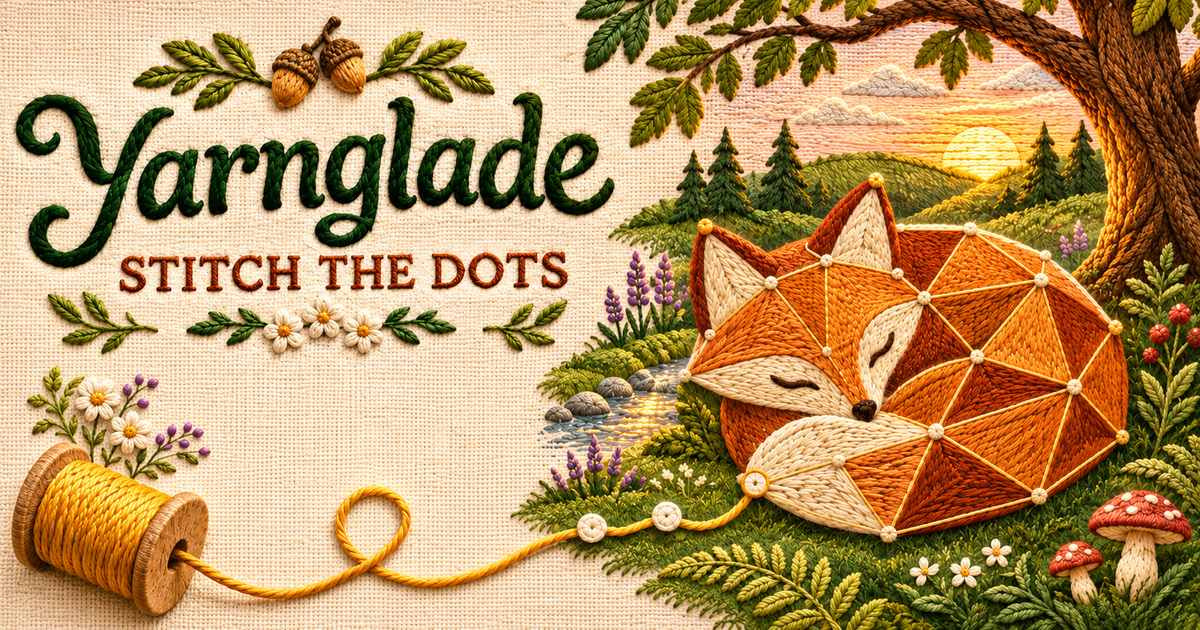
Connect the dots, trace the outlines and stitch pictures with colorful yarn. A relaxing puzzle with no timers or penalties: over 550 pictures, big scenes for the workshop and a new embroidery every day.

Yarnglade: Stitch the Dots

Informazioni sul gioco

Valutazione:7.5 (8 Voti)
Developer:Dimokio
Rilasciato:novembre 2026
Ultimo aggiornamento:novembre 2026
Lingue supportate:English, Ukrainian, Polish, French, Dutch, German, Spanish, Italian, Portuguese

Yarnglade: Stitch the Dots is a calm puzzle about pictures made of colorful yarn. At first the white canvas shows only dots and numbers. Connect the dots, restore the outlines, pick a spool of the right color — and the thread lays itself down row by row until the finished embroidery appears.

Game features

  • Simple rules. The number next to the dots tells you how many dots the outline has. Trace them in one motion, pick the spool with the sector's number and tap the sector — it fills with thread.
  • Over 550 pictures. Flowers and leaves, cups and sweets, seaside finds, forest babies, fairy-tale houses, faraway lands. A picture has from 5 to 300 sectors: there are quick stitches for a couple of minutes and big works for a whole evening.
  • Different stitches, textures and threads. Every picture can be stitched in its own way: cross stitch, chain stitch or stem stitch, French knots or couching. In your hands you have cotton floss, wool yarn, silk thread and metallic thread — matte, with a soft sheen or with glitter. Each picture has its own combination, so finished embroideries never look alike.
  • Daily embroidery. A new big picture opens every day, and completing it for the first time brings two random tools. Pictures you miss are not lost: they return to the queue.
  • Workshop of big works. For the pictures you finish you earn yarn and use it to stitch big scenes: "Forest glade," "Venice canal," "Lighthouse of the evening sea," "Lantern Festival" and dozens more.
  • Four tools. Thread highlights the next dots of an outline, Grid reveals the sector borders, Magnifier shows unfinished outlines inside a circle, and Ghost image briefly overlays the finished picture. Tools only hint: you always do the stitching yourself.
  • Find an unfinished section. A free compass button moves the view right to an outline you have not traced yet.
  • Album. Finished pictures are collected in an album by theme, and you can return to any of them.
  • Daily gift and the "Hall of Fame". Come back for "Today's Tools" and earn experience for completed pictures to climb the portal ranking.

Why play

The rules are clear from the very first picture, and the thread lays down so pleasantly that it is hard to stop. There are no timers or penalties: a wrong spool or a slip while tracing breaks nothing. The game suits a five-minute break just as well as a long evening with a big scene.

Play at your own pace

Nobody rushes you: move and zoom the picture as much as you need, trace outlines one by one or several at once. Progress is saved automatically, so you can close the tab and come back later at any moment. You can play right in the browser, on a computer or a phone, with nothing to install.

Come giocare a Yarnglade: Stitch the Dots?

The goal is to restore the outlines of the picture and fill every sector with thread of the right color.

  1. Trace an outline. The number on the canvas shows how many dots the outline has. Press one of them, drag through the neighboring dots and return to the first one. If you lift your finger or touch the wrong dot, the unfinished path resets — and there is no penalty. Walls already built by neighboring sectors do not need to be redrawn.
  2. Pick a spool. When the outline is closed, the number changes to a spool number. Choose the spool with that number in the palette.
  3. Stitch the sector. Tap a finished sector and the thread fills it row by row from top to bottom. The chosen spool stays in your hand: tap other sectors with the same number. If the spool is wrong, nothing happens.
  4. Mix the steps as you like. You can trace several outlines first and fill them together, or go one at a time: trace, then stitch.
  5. Zoom and move the picture. Small outlines are easier to see when zoomed in. The "Fit picture" button brings the whole picture back into view.
  6. Find what you missed. When the picture is almost done, press "Find an unfinished section": the camera moves to an outline you have not traced yet. Press again to see another one.
  7. Finish the picture. When every sector is filled, the finished embroidery appears. For completing a regular level for the first time you receive yarn (one per outline) and experience, and the picture stays in your album.
  8. Stitch a big scene. Yarn is spent in the workshop: press "Embroider" and the parts of a big picture are stitched one after another for as long as you have yarn.

Tools

Four tools sit under the picture. They only show you the right place and never change the picture itself. A charge is spent only when a tool has actually shown something. You start with 3 charges of each; you can get one more charge by watching a video, and two tools come as a gift ("Today's Tools") and as a reward for the daily embroidery.

  • Thread. Tap a dot: the next dots of the outline will be highlighted for 20 seconds.
  • Grid. The sector grid appears for 10 seconds and then fades out smoothly.
  • Magnifier. Tap the picture: outlines of unfinished sectors appear inside the circle and stay while the picture is open.
  • Ghost image. The finished picture appears over the current one and stays visible, slowly fading, for 30 seconds. You can keep tracing while it is visible.

Useful tips

  • Start with sectors that already have a finished wall: you only need to trace the missing sides.
  • Close several outlines in a row without lifting your finger: correctly finished outlines stay, and only the unfinished one is reset.
  • Save Magnifier and Thread for dense pictures where it is hard to see which dots to connect.
  • Come back every day: a new daily embroidery and "Today's Tools" are waiting for you.

Comandi

  • Mouse. Press a dot and drag through the neighboring dots to trace an outline. Click a finished sector to stitch it. The mouse wheel zooms, and dragging an empty spot moves the picture.
  • Touch screen. Drag a finger through the dots to trace an outline and tap a sector to fill it. Drag an empty spot to move the picture, and spread or pinch two fingers to zoom in or out.
  • Zoom. The "+" and "−" buttons next to the picture change the scale, and "Fit picture" shows the whole picture.
  • Tools. Tap an icon under the picture. Grid and Ghost image work right away; for Thread, tap a dot, and for Magnifier, tap a place on the picture. The first time you use a tool, the game briefly explains what it does.
  • Find an unfinished section. The button next to the tools moves the camera to an outline you have not traced yet. It is free and fills nothing in.
  • Keyboard. The game is made for mouse and touch; the keyboard is not needed.
  • Settings. Sounds and music can be switched on and off in the "Settings" menu.

Commenti

preloader gif

Un commento

Login per lasciare un commento

Potrebbe piacerti anche

FamilyGram: Nonograms
Memory cards
Cozy Puzzle
Sudoku Puzzle: Mosaic Journey